Personal project
Turntable
github.com →Overview
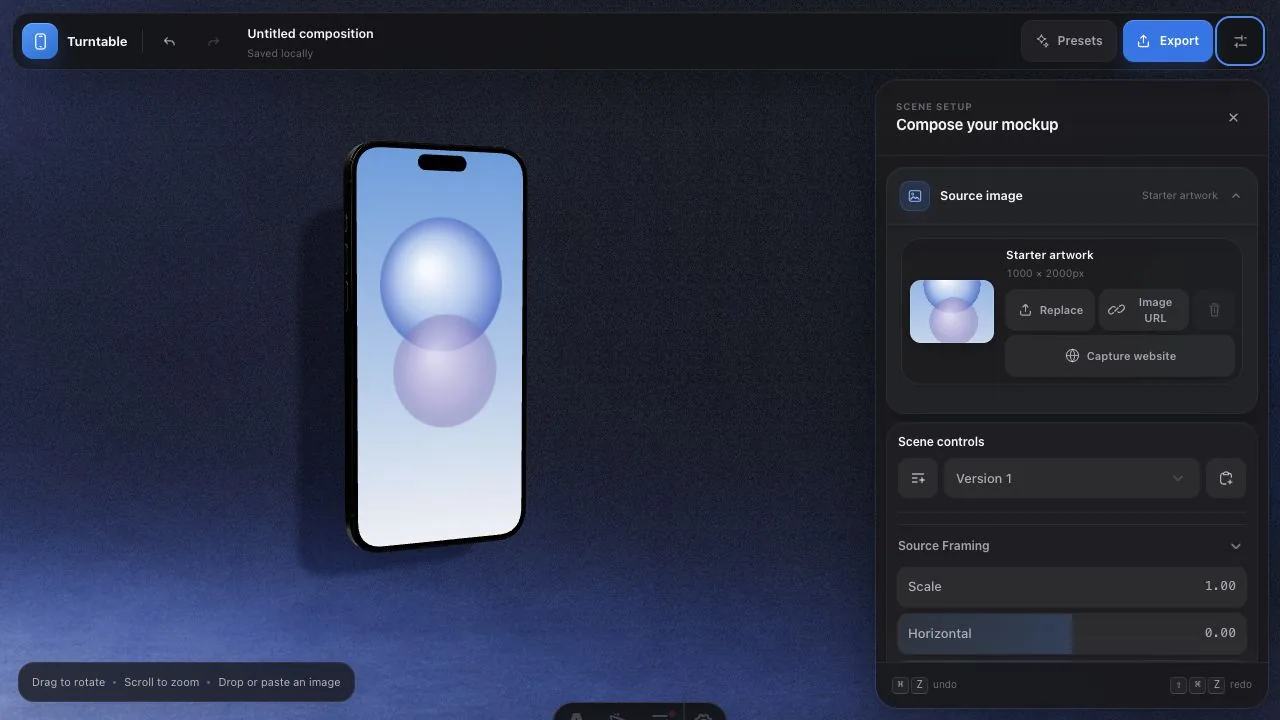
Every product screenshot eventually needs to become a product image — the hero shot for a landing page, an App Store frame, a launch tweet. The usual route runs through Blender or a mockup subscription. Turntable’s pitch is that the whole workflow fits in a browser tab: drop in a screenshot, spin the device, light the scene, export a high-res PNG.
How the idea started. Daniel Designs’ device-composition concept gave the project its spark, but the recurring need was already mine: every piece of personal software eventually needs a polished image, and I did not want to reopen Blender or reach for a mockup subscription each time the interface changed. Turntable began as the browser tool I wished I could keep beside the code.
Why it is personal software. I use it to make the launch images, portfolio frames, and work-in-progress shots for my own apps. That changes what matters: pasted screenshots should stay on my machine, a useful angle should take seconds, the exact export dimensions should be predictable, and the whole scene should survive a refresh. It does not need accounts, templates sold by the pack, or a render farm; it needs to feel like a small studio that is always ready.
The devices are built, not faked. The iPhone Pro, iPad Pro, and MacBook Pro are full Three.js assemblies — layered bezels, camera arrays, buttons, ports, speaker grilles, a hinged lid with instanced keys — dressed in physical metal and glass materials, lit by area emitters and an environment map. When the device turns, highlights sweep across the titanium the way they should.
The studio is engineered like a set. A GLSL-augmented backdrop gives the receiving wall a subtle physical bow, restrained grain, and edge falloff; a second shader adds distance-aware contact density under the device; a curved cyclorama catches the real projected shadow with no wall-to-floor seam. Three generated studio plates — Alabaster, Midnight, Terracotta — sit alongside procedural presets, mirror floors, and transparent backdrops.
It stays fast where it matters. Rendering is demand-driven — the scene sleeps until you touch it — with capped preview density and a lightweight live shadow pass keeping manipulation responsive. Exports temporarily restore full shadow quality, then hand back the interactive preview.
It behaves like an editor, not a demo. One serializable state tree drives the whole app, with undo/redo (⌘Z all the way back), debounced settings persistence, and IndexedDB-backed restoration of your uploaded artwork across refreshes. No UI framework, no build complexity — vanilla JavaScript and Vite.
Key Achievements
- Direct manipulation — Drop, paste, or upload a screenshot, drag to orbit, scroll to zoom, and start from twelve composition presets
- Obsessive device models — iPhone, iPad, MacBook, and browser-frame assemblies with layered bezels, camera lenses, ports, hinges, and instanced keyboards in physical metal and glass
- A real studio, in shaders — GLSL gives the wall a physical bow, restrained grain, and edge falloff; a curved cyclorama catches the device's actual projected shadow
- Production export — Exact pixel dimensions, PNG/JPG/WebP, transparent canvas, and export-time restoration of full shadow quality
Technologies
Outcome
Turntable compresses a product-photography workflow into a playful browser tool: compose, light, rotate, and export without opening a 3D package.